Any WindowNewOne shortcut to any window
Quickly search and activate any window, tab, session, and more.
Learn moreAlso works in the Raycast extension and Alfred workflowSet them upMotion reduced to match your system settings
Control your windows efficiently. Go straight to what you need.
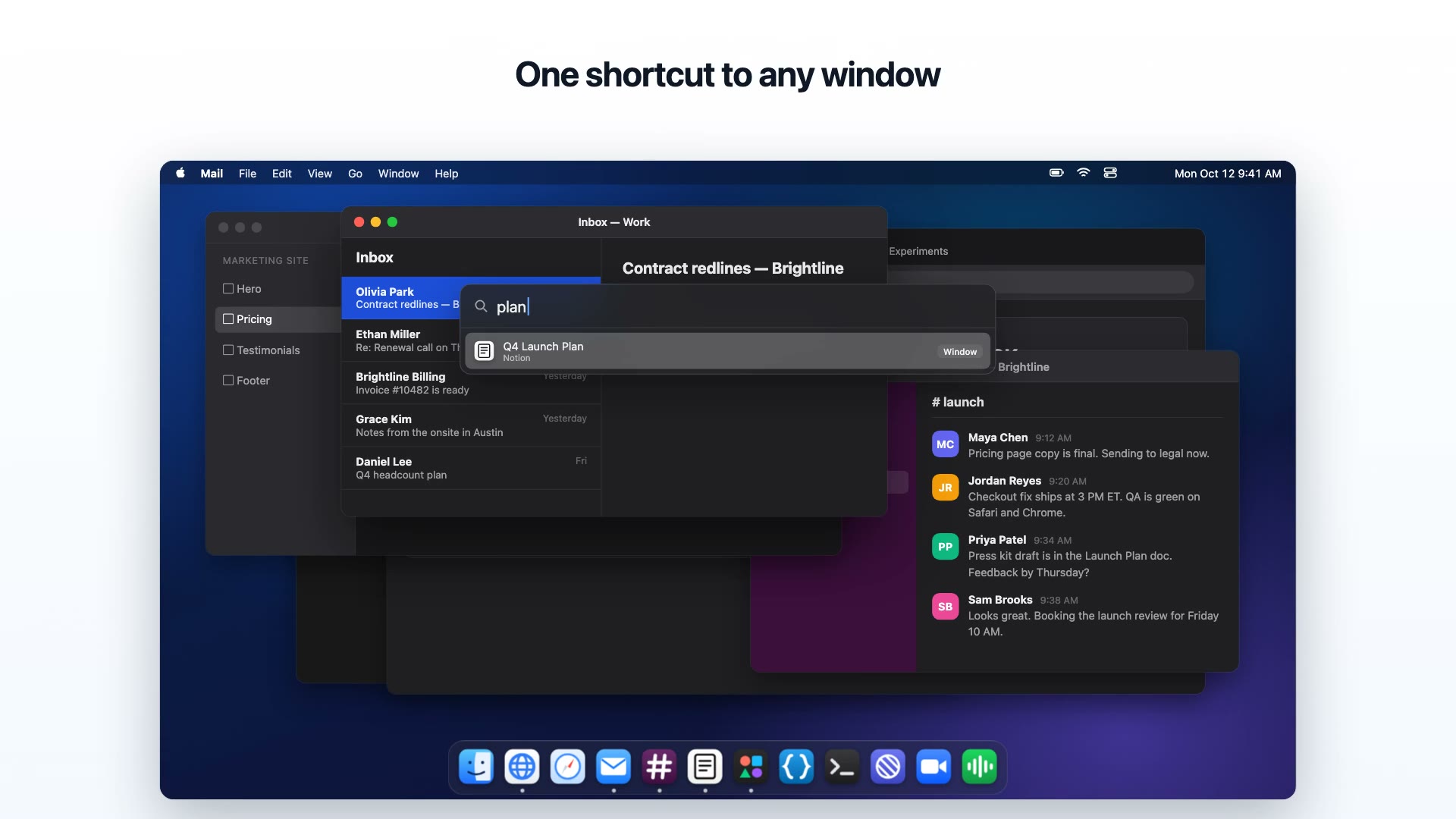
Quickly search and activate any window, tab, session, and more.
Learn moreAlso works in the Raycast extension and Alfred workflowSet them upPut windows from different apps in one Working Group by project or context, then find and switch to them in a moment.
Learn moreReach more than windows: pick a specific Chrome tab, a Codex project, a terminal session, and more.
Learn moreDeep Window supports Safari · Chrome · Edge · Terminal · iTerm2 · Ghostty · Herdr · Codex · Orca · Amp · Slack · Lark · More apps rolling outSee windows from both Macs together in the same Working Groups. Select a window on either Mac and keep working with one keyboard and mouse.
Learn moreCompatible with Apple’s Universal Control.Enter Quick Layout to place a window wherever you want, or move it to another display.
Learn moreWhen a window reopens, an app launches, Spaces change, or your display setup changes, LayAuto automatically restores your familiar layout.
Learn moreThe free version covers what most people need. Upgrade to the full version only if you need more.
| Feature | Free | Full Version |
|---|---|---|
| Any Window | First 4 results | Unlimited |
| Working Groups | Up to 3 groups | Unlimited |
| Deep Window | ||
| Universal Mac | ||
| Quick Layout | ||
| Auto Layout | ||
| Menu Bar Helper | Up to 20 icons | Unlimited |
One-time purchase with every 4.x update. The price shown is what you pay; no tax is added at checkout.
Quick Layout, Auto Layout, custom rules, Deep Window, Universal Mac, up to 3 Working Groups, 20 menu bar icons, and the first 4 results in Any Window.
An Apple silicon Mac running macOS 15 or later. Intel Macs are not supported.
It lets LayAuto identify, focus, move, and resize windows. It also enables menu bar controls and some global shortcut features.
LayAuto 4 migrates some compatible LayAuto 3 settings and data, including compatible shortcuts and Working Groups. Review any layouts and rules that are not migrated.
Two supported Macs running LayAuto 4 on the same local network. Use one keyboard and mouse to work across both.
Yes. Universal Mac shows windows from both connected Macs together in the same Working Groups, so you can switch between them in one place and continue with the same keyboard and mouse.
No. Universal Mac is free, and connecting two Macs does not use a slot. The free version allows up to 3 Working Groups on each Mac. To use more than 3 Working Groups on both Macs, activate a license on both.
Download LayAuto 4 for free and get back to the work that matters.
Download